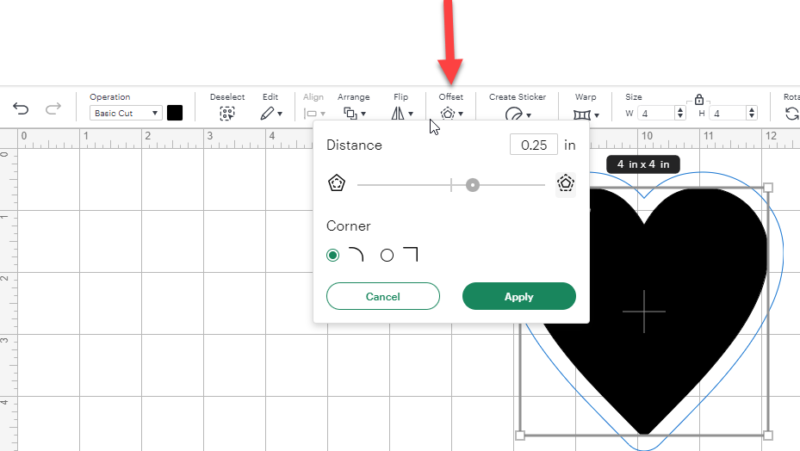
In Cricut Design Space, starting from the left right under the Project title, you'll see the Undo/Redo arrows, then Operations, the Deselect and Edit, then Align, Arrange and Flip and then Offset.
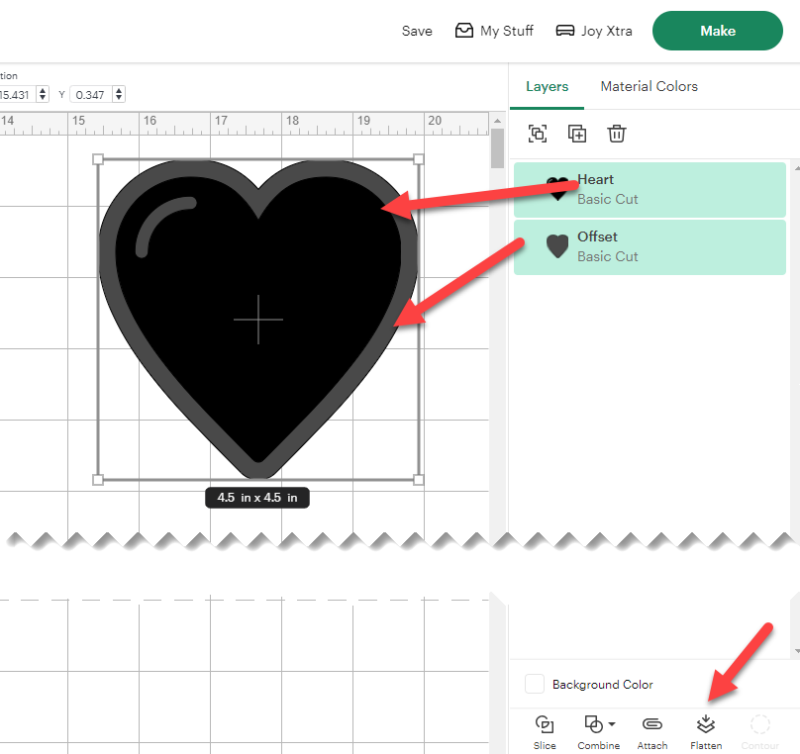
Once you have your offset, then you select all the layers you want to Flatten.
You'll know which layers are selected because their backgrounds will be mint green.
If you only have one layer, you will not see the Flatten option.
Look down to the bottom right under Background Color for Flatten. It's the 4th option.